

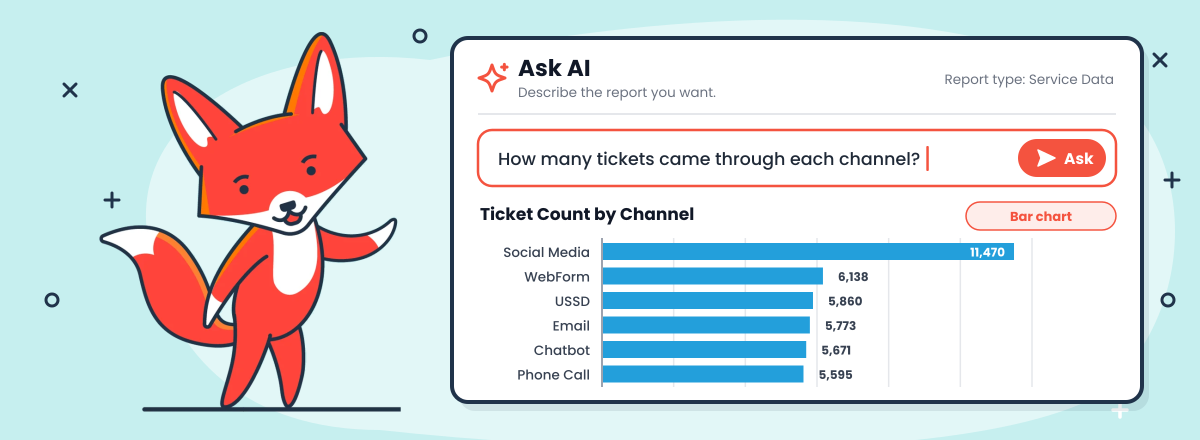
Short answer: Ask AI is now in DashboardFox, on every plan. Type a question such as "how many tickets came through each channel?" and DashboardFox builds a real report: a data grid, KPI card, chart or pivot that you can check, refine, save, schedule and put on a dashboard. It runs through the same engine, permissions and row-level security as a report built by hand. You connect your own AI provider key, so there is no AI tier and no mark-up, and your report results are never sent to the AI.
Most people who need a report know exactly what they want to see. What slows them down is knowing which fields to pick, which filter to set and which chart to choose. Ask AI takes care of that part, and leaves the answer in a form you can check and keep.
What's new
- Ask in plain language from the report builder, and follow up to refine: "only this quarter", "make it a bar chart", "top 10".
- A real report, not a chat reply: save it, schedule it, share it and add it to a dashboard.
- A plain-words summary of every answer, so you can see which fields, filters and dates it used before you trust it.
- Charts and KPI cards suggested for you, with one click to switch back to the data grid.
- Your own AI key on every plan: Anthropic, OpenAI, Google Gemini or any OpenAI-compatible provider.
- Your security model, unchanged: permissions and row-level security apply to every answer.
- Every question logged, with tokens and estimated cost, in the AI audit.
How it works
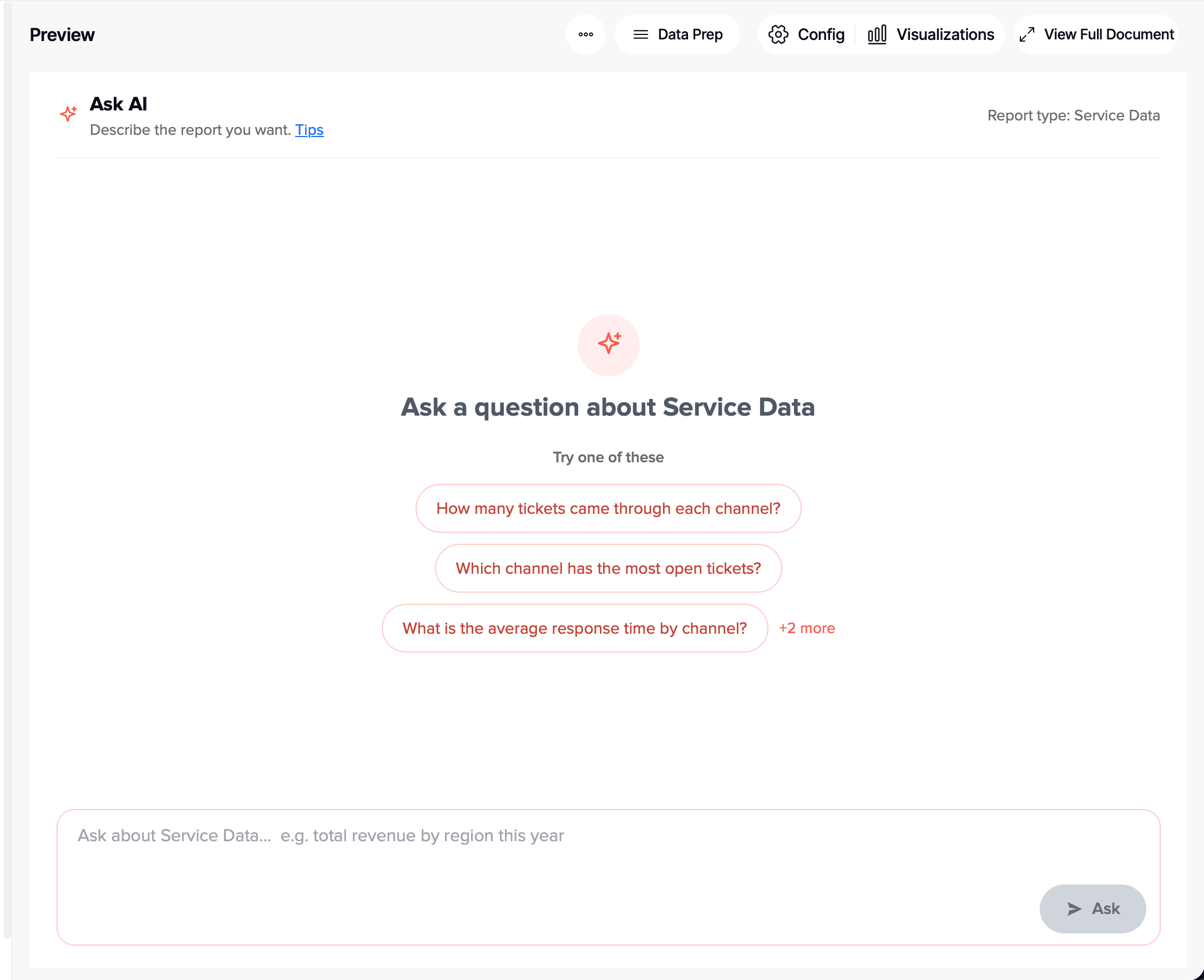
Open the report builder, pick an app and a category, and click Ask AI. You'll see a few suggested questions written for that category. Pick one or type your own. Type @ to name an exact field if you want to be specific.
A few seconds later you have a report. At the top is a short description in plain words of what it shows, for example "This report counts service tickets by the channel used to submit them, with no date filter." Below it is the result, shown as the chart Ask AI suggests or as a data grid.
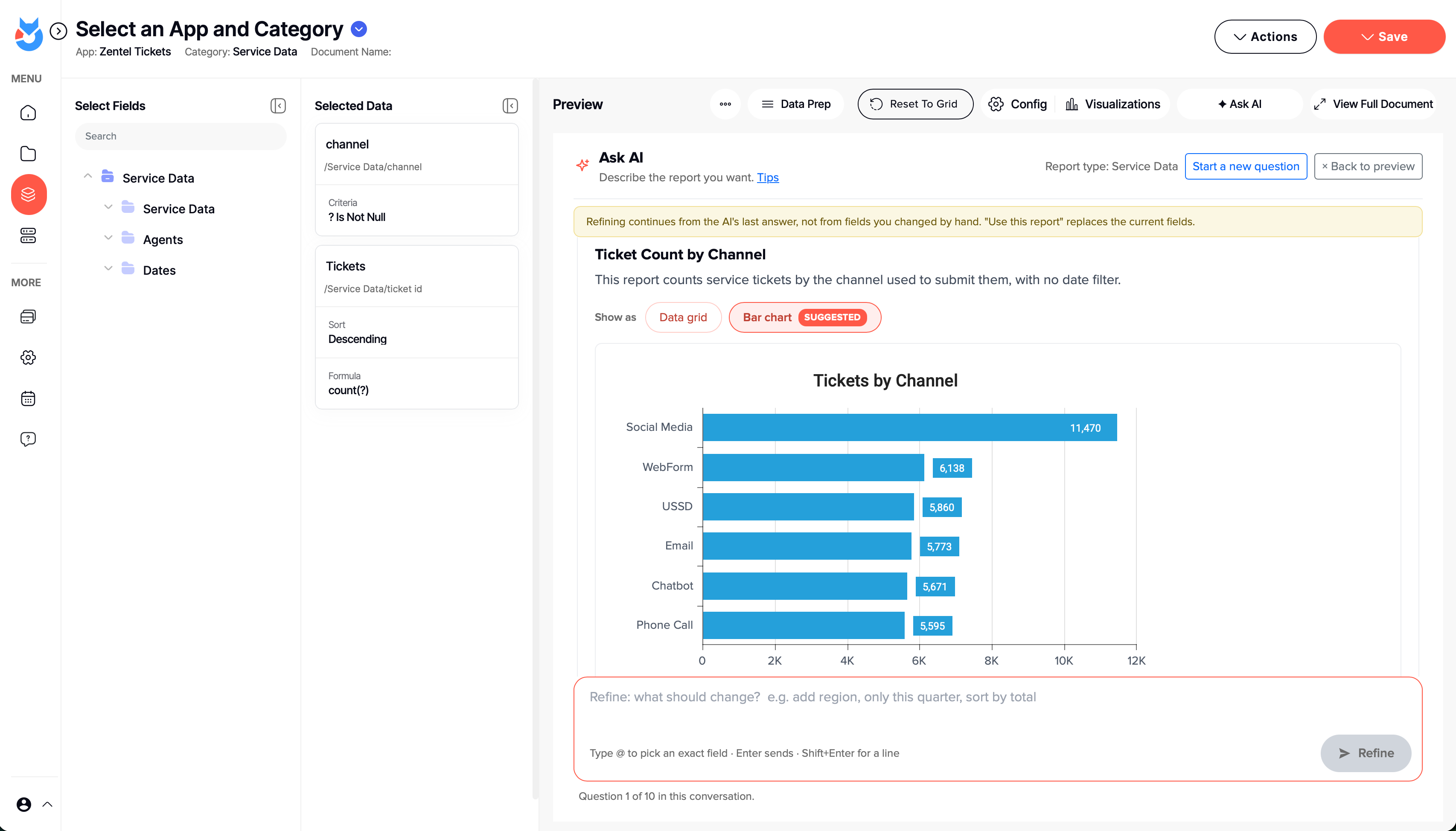
Not quite right? Type what should change in the Refine box and the report updates. When it's what you want, click Use this report and it becomes an ordinary report in the builder, where you can edit it by hand and save it like any other. If a question is ambiguous, Ask AI asks you which you meant instead of guessing.
What you can ask
Ask AI handles the questions teams ask every week:
| Kind of question | Examples |
|---|---|
| Totals and counts | "How many customers do we have?", "revenue this year" |
| Rankings | "Top 10 customers by revenue", "the 5 slowest agents" |
| Trends | "Monthly revenue trend", "tickets opened per week" |
| Comparisons | "This month vs last month", "year to date vs last year" |
| Time between dates | "Average hours from open to close by channel" |
| Patterns | "Tickets by day of the week", "orders by hour of the day" |
| Shares and breakdowns | Percent of total, subtotals by group, crosstabs |
| Lists | "Open tickets for Acme", "orders over 10,000 this week" |
You can also ask about the data itself: "what can I ask?", "which fields are there?" or "what does Net Revenue mean?". Those are answered in words from the category's field list, without running anything.
Ask AI builds reports. It doesn't forecast, and it can't change data.
How your data stays protected
Your report results are never sent to the AI provider. By default the model sees structure — table and field names and descriptions — plus your question. You control whether any stored values are shared, and Strict Privacy mode blocks all database values. The question a user types is always sent, so it's worth telling your team not to type sensitive personal details into a question.
Ask AI is also safe by design:
- Same permissions. Every answer runs as the person who asked, so they only ever see data they could already see. Row-level security applies unchanged.
- Read-only. The AI describes a report; DashboardFox's own engine builds and runs it. Nothing it produces can change your data.
- You decide where it's used. AI is off until an Admin adds a provider and turns it on for an app, and App Builders choose which tables and fields the AI may use.
- Everything is recorded. Each question appears in the AI audit with who asked, the result, tokens and estimated cost, and AI activity is part of the new audit trail.
The full detail, field by field, is on our AI privacy and security page.
Your own AI key, no AI tier
Ask AI is on every plan, cloud and self-hosted. You connect your own AI provider key, so there is no AI tier, no credit pack and no mark-up: you pay your provider directly for what you use. A question is typically a few cents on a mid-priced model, less with prompt caching, and the cost does not grow with the size of your data.
A typical question uses about 16,000 tokens. As a rule of thumb, 100 questions a day is about 1.6 million tokens; on a mid-priced model that is roughly $2 to $6 a day. You stay in control of the bill: each app has a daily token limit, conversations have a question limit, and the AI audit shows the tokens behind every call. Our AI cost guide has the worked examples.
Not sure which model to use? When you add a provider, DashboardFox reads its current model list and marks a suggested model. Press Test and the model builds a sample report on built-in sample data, using none of yours, so you know it works before anyone asks a real question.
Cloud vs Self-Hosted
Ask AI works the same way in both editions. What differs is where your AI provider can live.
| Topic | DashboardFox Cloud | Self-Hosted |
|---|---|---|
| Included | On every plan | Yes |
| AI providers | Any provider reachable over the public internet | Any provider, including a model that runs inside your own network |
| Where requests go from | Your DashboardFox Cloud site, straight to your provider | Your own server, straight to your provider |
| Who you pay for AI | Your provider, directly | Your provider, directly |
Getting started
- Add a provider. An Admin opens Settings → AI Query → Providers, adds an API key, picks a model and presses Test.
- Turn AI on for an app. In Settings → AI Query → Apps, choose who can use Ask AI.
- Prepare your categories. Optional, but it makes the biggest difference: App Builders use Prepare for AI to add descriptions and sample questions, and to choose how field values are used.
- Ask. Composers open the report builder and click Ask AI.
The Getting Started guide includes "Add an AI provider" and "Turn AI on for an app" for Admins, and the Academy has a lesson for each step, starting with your first report with Ask AI.
To try Ask AI during your trial, add a key from Anthropic, OpenAI, Google Gemini or any OpenAI-compatible provider. It takes about two minutes, you can test the model on a built-in sample report before touching your own data, and a trial's worth of questions typically costs a dollar or two.
What's next
This is the first release of DashboardFox AI. Planned for early 2027:
- Ask AI for view-only users, on the reports they are already allowed to run.
- An AI assistant across the product, for plain-language commands such as "create a dashboard" or "add a filter".
- A DashboardFox MCP server, to connect AI assistants and agents that support the Model Context Protocol.
If there's a question Ask AI doesn't handle well on your data, tell us. Those examples shape what we improve next.
Frequently asked questions
What is Ask AI in DashboardFox?
Ask AI is the AI report builder inside DashboardFox. You ask a question in plain language and it builds a real report, as a data grid, KPI card, chart or pivot, that you can check, refine, save, schedule and put on a dashboard like any report built by hand.
Is Ask AI included in my plan?
Yes. Ask AI is on every plan, cloud and self-hosted. You connect your own AI provider key, so there is no AI tier, no credit pack and no mark-up. You pay your provider directly for what you use.
Does DashboardFox send my data to the AI provider?
Your report results are never sent to the AI provider. By default the model sees structure, such as table and field names and descriptions, plus your question. You control whether any stored values are shared, and Strict Privacy mode blocks all database values. The question you type is always sent.
How much does Ask AI cost?
A question is typically a few cents on a mid-priced model, and less with prompt caching. Cost depends on the size of the category, not on how much data you have. You set a daily token limit for each app.
Which AI providers work with Ask AI?
Anthropic, OpenAI and Google Gemini are built in, and any service with an OpenAI-compatible API also works. On DashboardFox Cloud the provider must be reachable over the public internet; a model that runs inside your own network needs the self-hosted edition.
Can view-only users ask questions?
Not yet. Today Ask AI is for Composers in the report builder. Ask AI for view-only users, on the reports they are already allowed to run, is planned for early 2027.
Can Ask AI get a report wrong?
Yes. Like any AI it can misread a question. Every answer shows in plain words what it was built with, so you can check the fields, filters and dates before you rely on it or save it.